
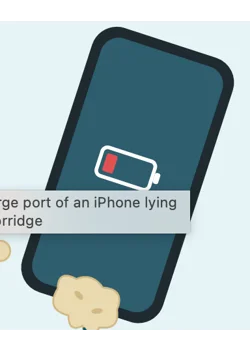
Porridge in your charge port? Don't plug it in. Switch the phone off, lift the porridge out with a wooden cocktail stick, let the port dry, then test it. Here's how to clean and remove it safely from an iPhone, iPad or Android phone, and how to tell when the port needs a professional.
By Mike, Bristol iPhone Repair. Repairing iPhones and iPads since 2007. Published 6 October 2026.
It sounds daft, but porridge in a charge port is a real repair job. It nearly always happens at breakfast. A phone propped against the bowl, a toddler with a loaded spoon, an iPad on cartoon duty next to the high chair. One splat later there are oats where the charger goes.
Most of the time you can sort it yourself in about ten minutes. The trick is to avoid the two things nearly everyone does first: plugging the charger in to see if it still works, and going at the port with a pin.
Quick answer: how to get porridge out of a charge port
- Unplug the charger and switch the phone off.
- Shine a torch into the port to see what you're dealing with.
- Hold the phone with the port facing down and lift the porridge out with a wooden cocktail stick. Never use metal.
- Brush out the crumbs with a soft, dry brush.
- Leave it to dry fully. Overnight if the porridge was wet.
- Test with a good cable. If it won't click in or won't charge, get the port cleaned or replaced.
Why porridge in a charge port is worse than it looks
It sets like cement. Oats are full of starch, and starch is glue. Anyone who has left a porridge pan or a Weetabix bowl until the evening knows how hard it goes. In a port a few millimetres wide, that makes a solid plug.
It's wet, and it isn't just water. Milk, sugar, syrup and salt all conduct electricity and leave a film on the gold contacts inside the port. Put power across those wet contacts and they start to corrode. That's the green or white crust we find in ports weeks after a spill.
Plugging in makes it worse. The cable rams the porridge to the back of the port and packs it down, then sends power through the mess. A port that needed a five-minute clean can end up needing replacing.
What not to do
- Don't plug the charger in "just to check". This is the one that does the damage.
- Don't use anything metal. No pins, needles, paperclips, tweezers or SIM tools. Metal scratches and bends the contacts, and it can short them out if the phone is on.
- Don't rinse it under the tap or drip water in to soften the porridge. Water resistance fades as a phone ages, and you'll swap one problem for a water damaged iPhone.
- Don't use a hairdryer or a radiator. Heat bakes the porridge on and does the battery no favours.
- Don't blow into the port or use compressed air. It pushes wet porridge further in.
- Don't put it in rice. Rice does nothing for porridge, and you can end up with a grain stuck in there as well.
One thing worth knowing: Apple's official advice is not to put anything into the connector at all. That makes sense when it's only water, because water dries away. Porridge doesn't. If you'd rather not go in there yourself, skip to getting it cleaned for you.
What you'll need
- A wooden cocktail stick or a plastic toothpick
- A torch. The one on another phone is fine
- A soft, dry, clean brush, such as a new soft toothbrush or a small paintbrush
- A sheet of kitchen roll to work over
- Optional: 99% isopropyl alcohol. Not surgical spirit, which contains oils, and not hand gel
How to clean porridge out of a charge port, step by step
- Unplug everything and switch the phone off. Take the case off too, so you can see and reach the port properly.
- Have a proper look. Shine the torch in. If the porridge is fresh and wet, go to step 3. If it has dried hard, go to step 4.
- If it's still wet, get it out while it's soft. Hold the phone with the port facing the floor and tap it gently against your palm. Then lift out what's left with the cocktail stick, scooping towards you and never pushing inwards. Wipe the stick after each pass. Dab around the outside of the port with kitchen roll, but don't push paper into it.
- If it has dried hard, break it up gently. Don't lever against anything. Work the stick lightly along the side walls and the back of the port until the plug breaks into crumbs, then tip them out. Slow, light strokes win here. If the stick is too fat to fit, shave one end flat with a knife.
- Brush out the crumbs. Keep the port facing down and flick the soft, dry brush across and into it a few times.
- Lift the residue (optional). Dip the tip of the stick or brush in 99% isopropyl alcohol and shake it off so it's damp, not dripping. Wipe gently around the inside. It won't dissolve oats, but it lifts the film of milk and sugar and dries in minutes.
- Leave it to dry. Rest the phone port-down somewhere with a bit of air moving. Half an hour is enough after a dry clean. If the porridge was wet, leave it several hours, ideally overnight.
- Check the cable, then test. If the charger was plugged in when it happened, there'll be porridge on the cable's plug too, so wipe that clean and dry. Then plug in. The cable should push all the way home with a click and sit flush. Use a decent one, because cheap charging cables cause charging faults of their own.
Lightning or USB-C? It changes how you clean it
Lightning ports (iPhone 14 and earlier) are the easier of the two. It's an open slot with a row of gold pins along one wall. Clean along the opposite wall and the back first, and go very lightly over the pins themselves.
USB-C ports (iPhone 15 onwards, newer iPads and nearly all Android phones) have a thin tongue down the middle with contacts on both faces. Porridge packs into the narrow gaps above and below it. That tongue snaps if you lever against it, so use a shaved-down stick, slide it in flat, and take your time. If it's packed solid in there, this is the one to leave to a repairer.
Need to charge in the meantime? Go wireless
Every iPhone from the iPhone 8 onwards charges wirelessly, and so do most recent Samsung and Google phones. Wireless charging doesn't use the port at all, so a charging pad or MagSafe charger will keep you going while the port dries or until it's repaired. iPads don't have wireless charging, so they'll have to wait.
Seeing "Liquid Detected" after the porridge?
That alert means the iPhone can sense moisture or residue bridging the pins in the port. Unplug the cable and give it longer to dry. Apple says to try again after at least 30 minutes and to allow up to a day for a port to dry out fully.
Don't tap Emergency Override to force it to charge. If the warning is still there after 24 hours, there is almost certainly residue or corrosion on the contacts, and the port needs cleaning properly.
Does the type of porridge matter?
A bit, yes. Porridge made with water is the easiest to deal with. Milk leaves a film behind that goes sour. Golden syrup, honey, jam and sugar make it stickier and better at conducting electricity. Salted porridge is the most corrosive.
Weetabix and Ready Brek are finer than rolled oats, so they work into smaller gaps and set harder. The method is the same for all of them. The sweeter or saltier it was, the more it's worth doing the alcohol wipe in step 6.
iPads, AirPods cases and Android phones
The same steps work on any device with a Lightning or USB-C port. iPads are the ones we see most, because they live on the breakfast table and get handed to small children. If yours has taken a spoonful, we do iPad repair in Bristol as well, including school iPad repairs.
When to stop and get the charge port looked at
Put the cocktail stick down and get help if:
- The cable won't push all the way in, or falls out easily
- It only charges with the cable held at an angle
- "Liquid Detected" keeps coming back after a full day of drying
- You can see green or white crust on the contacts
- The port or the cable gets hot, or there's a burnt or sour smell
- The porridge is packed in solid and won't budge
If the port is clear and the phone charges but the battery still empties quickly, the porridge may not be the culprit. Have a look at our 5 signs your iPhone battery needs replacing.
Bristol iPhone Repair is a mobile iPhone repair service in Bristol. We come to your home or work and do the job in our repair van. With a blocked port we clean it out with the right tools and test it. If the port itself is damaged we can replace it, and we'll tell you the price before we start.
It's no fix, no fee, and replacement parts carry our lifetime warranty. You can read our customer reviews or check the areas we cover, from Bristol and Bath out to Weston-super-Mare, Clevedon, Portishead and Yate.
How to stop it happening again
- Keep phones and iPads off the table at breakfast, or at least out of spoon range.
- Use a case with a flap over the charge port, or a silicone dust plug.
- Charge on a wireless pad in the kitchen, so the port stays empty and there's no cable to drag through the bowl.
- If something does go in, deal with it while it's wet. Ten minutes now beats chiselling it out tomorrow.
Porridge in charge port: your questions answered
Can porridge damage a charge port?
Yes. It sets hard and blocks the cable, and the milk, sugar and salt in it can corrode the contacts if the port is powered while wet. Cleaned out quickly, most ports are fine.
Can I use a toothpick to clean my charge port?
Yes, as long as it's wood or plastic and the phone is switched off. Never use a metal pin, needle or paperclip.
Can I rinse porridge out of a charge port with water?
No. Water softens porridge, but it also carries milk and sugar deeper into the phone. Use a dry wooden stick and, if needed, a tiny amount of 99% isopropyl alcohol.
Is it safe to charge my phone with porridge in the port?
No. The cable compacts the porridge and puts power across wet, dirty contacts, which is what causes corrosion. Use a wireless charger until the port is clean and dry.
How long should I wait before charging after cleaning the port?
About 30 minutes if the porridge had already dried and you cleaned it out dry. If it was wet, leave it several hours and ideally overnight. If you get a "Liquid Detected" alert, wait longer.
Will Apple fix porridge in a charge port under warranty?
Not for free. Apple's standard warranty doesn't cover accidental or liquid damage. AppleCare+ covers accidental damage, but you pay an excess for each claim.
Porridge still stuck in your charge port?
We'll come to you across Bristol and the surrounding area and sort it in our repair van. No fix, no fee. Monday to Friday, 8am to 6:30pm.
Call 07528 654654 Book a repair online
